
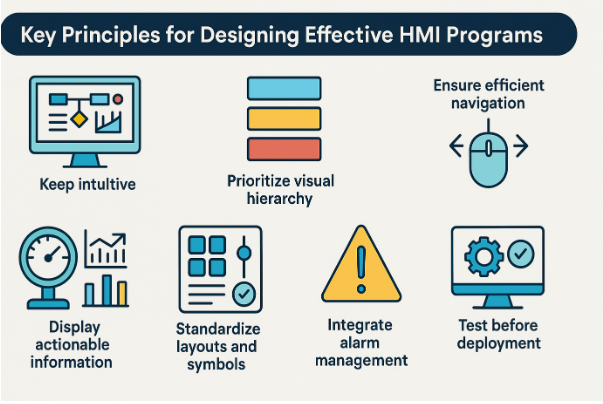

In modern industrial automation, Human-Machine Interface (HMI) systems play a critical role in connecting operators with equipment and control systems. A well-designed interface improves efficiency, minimizes downtime, and ensures safer operations. To achieve these results, engineers must follow best practices that make HMI screens intuitive, clear, and responsive. That’s where effective HMI programming becomes essential.
What Is HMI Programming?
HMI programming involves creating visual interfaces that allow machine operators to interact with control systems, such as PLCs (Programmable Logic Controllers). These screens enable users to:
- Monitor machine processes
- Adjust parameters
- Troubleshoot issues
- Take prompt corrective action
Well-designed HMIs reduce operator errors and help maintain smooth, uninterrupted operations.
Key Principles for Effective HMI Programming
1. Keep the Interface Intuitive and User-Focused
An HMI should be simple enough that operators can understand what they’re controlling at a glance.
Best Practices:
- Use familiar layouts and logical grouping of controls.
- Place critical data such as alarms and real-time status at the center of the screen.
- Avoid unnecessary graphics or flashy animations that distract operators.
2. Prioritize Visual Hierarchy
Operators should be able to quickly distinguish between normal operating conditions and faults.
Implementation Ideas:
- Use consistent colour codes
- Green = Running/Healthy
- Yellow = Warning
- Red = Fault/Stop
- Apply larger fonts and bold styles for important information.
3. Ensure Efficient Navigation
Complex processes often require multiple screens, but navigation should remain seamless.
Suggested Structure:
- Home/Overview screen
- Process detail screen
- Diagnostics/Alarm screen
- Manual controls/Settings screen
Use breadcrumbs or “return to home” buttons for easy backtracking.
4. Display Only Actionable Information
Overloading a user with data leads to confusion. Data on the screen must be relevant and useful.
Include:
- Real-time values (pressure, speed, temperature, etc.)
- Graphical indicators (gauges, trend charts)
Avoid:
- Raw data that does not support decision-making
5. Standardize Screen Layouts and Symbols
Consistency reduces operator training time and increases usability.
Standardizations to follow:
- Button styles
- Icon symbols
- Font sizes and colour usage
This ensures that every screen looks and behaves predictably.
6. Integrate Alarm Management
Alarms should support decisions—not overwhelm operators.
HMI programming should categorize alarms as:
- Critical alarms (immediate action required)
- Warnings (monitor condition)
- Notifications (status updates)
This hierarchy prevents alarm flooding during events.
7. Test the Interface before Deployment
Before launching the system, simulate operations with real-world use cases.
Testing should validate:
- Operator usability
- PLC communication response
- Screen load time and performance
How ControlSoft Canada Ensures Better HMI Programming
ControlSoft Canada works with industry-leading systems such as:
- Allen Bradley FactoryTalk View with PanelView Plus
- Schneider Electric’s Vijeo Designer / Magelis HMI
- Siemens WinCC and TIA Portal for HMI projects
They follow a structured process that includes:
- Evaluation of existing PLC/HMI flow
- Developing clean and efficient screen architecture
- Integrating communication protocols such as Modbus, Ethernet/IP, ControlNet, and DeviceNet
- Ensuring seamless data exchange from PLCs to operator dashboards
Whether upgrading an existing control system or implementing new automation, ControlSoft Canada delivers HMI solutions that minimize operator learning and maximize operational efficiency.
Conclusion
Effective HMI programming is not just about building screens, it’s about improving productivity, reducing downtime, and supporting operators with clear and actionable insights. When an HMI is intuitive, standardized, and tested, it transforms complex automation into an easy, safe, and efficient experience.

